
If you’ve been scrolling through dreamy screenshots of glowing cities, perfectly decorated apartments, and beautifully styled characters and thinking “I need this game in my life” welcome, friend. You’ve officially found your new obsession.
InZOI is a stunning life simulation game by Krafton that feels like someone took everything we ever loved about cozy life sims and wrapped it in the most beautiful, cinematic package imaginable. Think gorgeous neighborhoods, deeply expressive characters, and a world that actually feels alive around you.
But let’s be honest starting a new life sim can feel a little overwhelming at first. There’s a lot to take in, and that’s exactly why this InZOI beginner guide exists.
Whether you’re brand new to life sims or just making the move from other games, this guide is here to hold your hand through the beginning in the gentlest, coziest way possible. Grab a warm drink, get comfy, and let’s build something beautiful together.
What Even Is InZOI? (A Quick Cozy Overview)

InZOI is a life simulation game that launched in Early Access on PC in March 2025, with console versions planned for PS5 and Xbox Series X/S down the road.
At its heart, it’s a game about living. You create characters called Zois, build or move them into homes, send them out into a richly detailed city, and guide them through careers, friendships, relationships, and everything in between.
What makes InZOI special and honestly what makes it feel so cozy even though it’s not technically a farming sim is the atmosphere. The world is warm and immersive. The cities feel lived-in. And your Zoi genuinely reacts to the world around them in ways that make you feel strangely attached to them after about twenty minutes.
It’s the kind of game you open up “just for a bit” and suddenly it’s 2am and you’re redesigning your Zoi’s entire kitchen.wa
Creating Your Very First Zoi
Where It All Begins
The moment you boot up InZOI for the first time, you’re dropped straight into character creation and oh, is it something.
The customization here is deeply detailed. You can adjust facial features, body shape, hairstyle, clothing, and so much more. It’s the kind of creator that makes you forget you’re technically supposed to be playing a game, not just… designing a tiny beautiful person for an hour.
Take your time here. Seriously. This is your Zoi, your little digital self (or the wildly dramatic alter ego you’ve always wanted). There’s no rush.
Choosing Traits
Once your Zoi looks the way you want, it’s time to give them a personality. InZOI offers 18 different traits to choose from, and each one will genuinely shape how your Zoi moves through the world.
Some popular options to consider as a beginner:
- Creative — perfect if you want your Zoi to thrive in artistic careers
- Sociable — makes building friendships feel smooth and natural
- Diligent — helps with career progression and skill-building
- Homebodies — leans into the cozy, stay-in-and-decorate energy beautifully
Picking a Life Path
After traits, you’ll choose a life desire essentially what your Zoi is working toward. Options include creativity, simplicity, wisdom, and more. Think of it as your Zoi’s north star.
These choices are flexible and can be adjusted later, so don’t stress too much. Just pick what feels right for the story you want to tell.
Settling Into the City
Choosing Where to Live
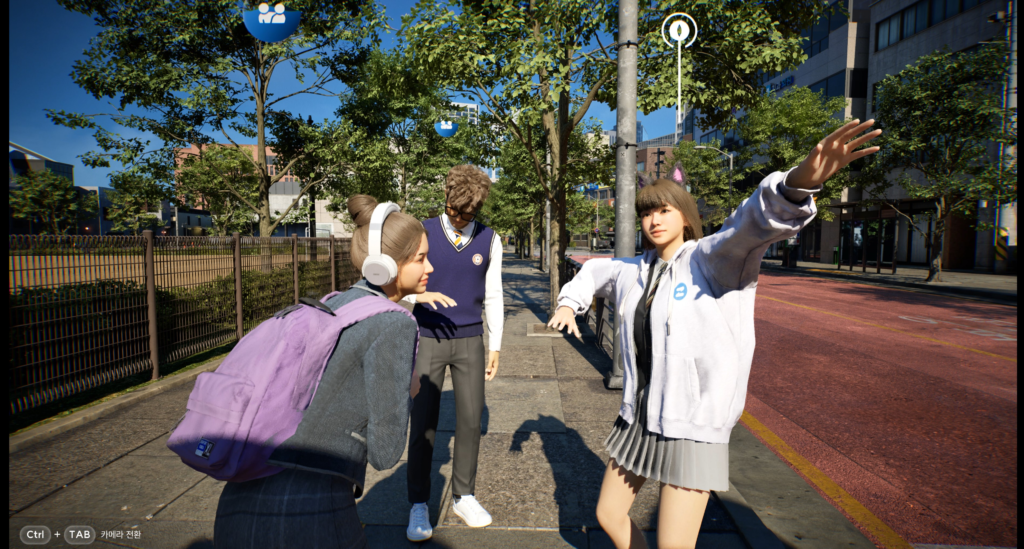
When you’re ready to step into the world, you’ll choose which city your Zoi calls home and pick a starting house. As a beginner, it’s totally fine to start small and simple — a modest little home with room to grow is honestly the coziest option anyway.
You can always renovate, redecorate, or even move later on. Think of your starting home as chapter one, not the final destination.
Getting to Know the Controls
InZOI gives you two ways to move your Zoi around:
- WASD + Shift for direct keyboard control (feels very immersive)
- Left-click to point-and-click your Zoi to a destination (classic Sims-style comfort)
Both are totally valid. Experiment and see what feels right for you.
One helpful little trick: if your Zoi has a need that’s dropping quickly, double-clicking on that need in the menu will prompt them to handle it as fast as possible. It’s a small shortcut that makes a big difference in those early frantic days.
Understanding Your Zoi’s Needs
The Eight Things That Keep Your Zoi Happy
This is the heart of the gameplay loop, especially in those first few hours. Your Zoi has eight core needs to keep an eye on:
- Hunger — keep them fed and happy
- Hygiene — showers matter (we love a clean Zoi)
- Sleep — rest is sacred, even in a virtual life
- Bathroom — yes, this is on the list
- Fun — make time for joy, always
- Social — your Zoi needs connection to thrive
- Recognition — they want to feel seen and valued
- Energy — different from sleep, this drains during activity
Keeping all eight balanced feels like a gentle juggling act at first, but it becomes second nature pretty quickly. And honestly? Watching your Zoi go from stressed to content after a good meal and a cozy evening at home is strangely satisfying.
Turning On Autonomy
If managing everything manually feels like a lot, you can toggle on autonomy mode, which lets your Zoi take care of themselves with minimal input from you. It’s a great option for days when you just want to sit back, watch the world unfold, and focus on decorating your living room instead.
The Karma System: Being Kind (or Not) Has Consequences
One of InZOI’s most interesting systems is Karma and it adds a lovely moral texture to the gameplay.
Every interaction your Zoi has contributes to their Karma level. Blue symbol actions are kind and build positive Karma. Red symbol actions are more chaotic and lower it.
Here’s what that means for you as a beginner:
- High Karma unlocks warmer social interactions, community trust, and things like lottery wins or family wellbeing perks
- Low Karma opens up a completely different style of gameplay more rebellious, more dramatic, with its own rewards and consequences
For a cozy playthrough, leaning into positive Karma is the way to go. Your Zoi becomes a warmly regarded community member, and the social interactions feel genuinely heartwarming.
Building and Decorating Your Home
This is where a lot of us really lose track of time and that’s completely okay.
InZOI’s build mode is wonderfully expressive. You can design your Zoi’s home from scratch or start with a base and slowly make it yours. The game’s visual style means that even simple interiors look gorgeous, and there’s something deeply therapeutic about arranging furniture, choosing wall colors, and finding the perfect rug for your living room.
A few cozy decorating tips for beginners:
- Start with one room at a time instead of trying to furnish everything at once
- Warm lighting makes everything look better
- Don’t be afraid to leave some empty space less is often more
- Keep a washing machine in your home (clothes get dirty over time yes, really!)
- Tidy up regularly, as the house collects dirt over time and cleaning actually builds your Zoi’s Housework skill
Exploring the City Beyond Your Front Door
Your Zoi’s home is their sanctuary, but the city is where life actually happens.
InZOI’s cities are beautiful, detailed, and full of things to discover. Your Zoi can go out to pursue careers, build friendships, explore neighborhoods, and just exist in a world that feels genuinely alive.
Some things to know early on:
- Fast travel is available on the city map use it to save time and keep your Zoi’s needs from dropping during long walks
- The Manage City option lets you influence things like community relationships, civic behavior, and even the city’s general atmosphere
- You can adjust weather, add decorations to public spaces, and shape the world around you in surprisingly deep ways
It’s the kind of game where the city starts to feel like your city. And that’s a really lovely feeling.
Career, Skills, and Growing Your Zoi’s Story
Your Zoi can pursue a career, build skills, and create a life narrative that feels genuinely personal.
Skills level up naturally as your Zoi does activities cooking more means better cooking, cleaning means better housework, socializing means stronger relationships. It’s the kind of gentle progression that feels rewarding without ever feeling like a grind.
For beginners, the best advice is: don’t rush it. Let your Zoi’s story develop organically. Some of the best moments in InZOI happen when you’re not chasing a goal just living.
A Few Extra Tips for Your First Few Hours
Here’s a little checklist to help your early game feel smooth and stress-free:
- ✅ Update your graphics drivers before launching — this helps avoid crashes and the Out of Video Memory error
- ✅ Start in a smaller home so you’re not overwhelmed with empty space
- ✅ Enable autonomy if you need a breath of fresh air
- ✅ Double-click needs to quickly address them when they’re getting low
- ✅ Use the money cheat (in Psycat’s Guide menu) if you want to focus on creativity over earning — no judgment here!
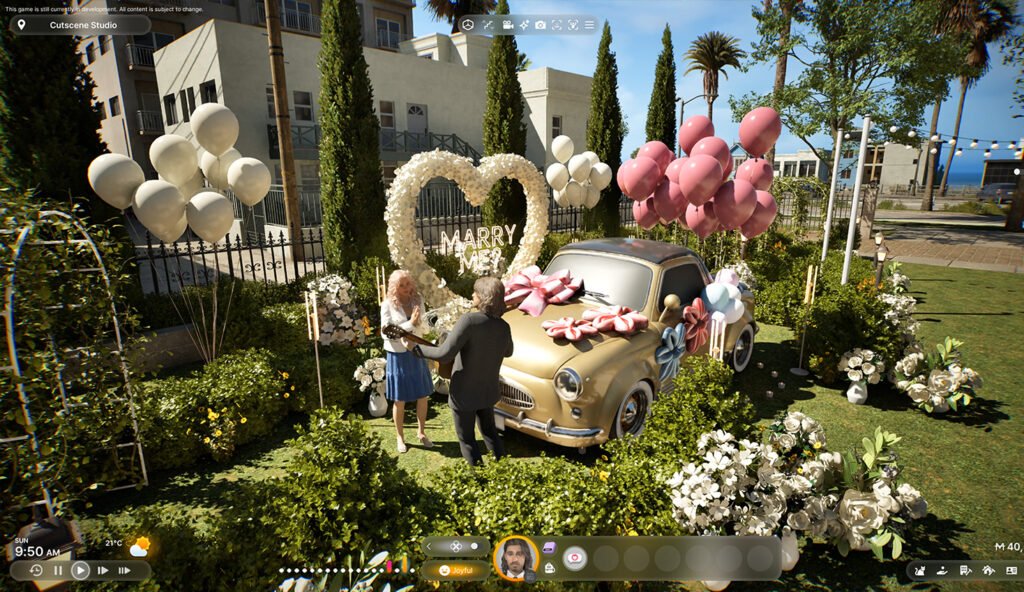
- ✅ Take screenshots — InZOI is genuinely beautiful and you’ll want to remember the little moments
- ✅ Play at your own pace — there’s no clock, no pressure, no wrong way to live your Zoi’s life
Is InZOI Right for You?
If you love cozy life sims, beautiful aesthetics, storytelling through gameplay, and the quiet joy of designing a little life from scratch then yes, InZOI is absolutely for you.
It’s not a perfectly polished game yet (Early Access means there are still things being added and refined), but even in its current state, it offers something genuinely special. There’s a warmth to it. A sense of possibility. The feeling that this little world is yours to shape however you want.
And honestly? That’s what comfort gaming is all about.
Conclusion
Starting your journey in InZOI is a little like moving into a new home. It feels slightly unfamiliar at first, maybe even a little overwhelming. But then you find your rhythm. You learn your Zoi’s little quirks. You discover which part of the city makes you feel most at peace. You spend forty-five minutes choosing a couch and it’s the best forty-five minutes of your week.
This InZOI beginner guide was written to make that first chapter feel a little softer, a little simpler, and a lot more joyful.
Now go create something beautiful. Your Zoi is waiting.
FAQ: InZOI Beginner Guide
Q: Is InZOI beginner-friendly? Yes! While there’s a learning curve with systems like Karma and needs management, InZOI eases you in gently. This beginner guide covers everything you need to feel comfortable from hour one.
Q: Is InZOI similar to The Sims? Very much so InZOI shares DNA with The Sims in terms of life simulation gameplay, but stands out with its stunning visual realism, Karma system, and deeply detailed cities.
Q: Can I play InZOI on console? InZOI launched on PC Early Access in March 2025. Console versions for PS5 and Xbox Series X/S are planned for a future release.
Q: What’s the Karma system in InZOI? Karma tracks whether your Zoi makes kind or unkind choices. Positive Karma unlocks warm social rewards and community perks; negative Karma opens up a more dramatic, conflict-driven style of gameplay.
Q: Do I need a powerful PC to run InZOI? InZOI is graphically demanding. Make sure your graphics drivers are updated before launching, and check the official site for recommended system specs.
Q: Is there a money cheat in InZOI? Yes! You can find a money cheat option in the Psycat’s Guide menu if you’d rather skip the earning grind and focus on creative gameplay.
Q: Can I change my Zoi’s traits later? Some choices, including life paths, can be adjusted as you play. Take your time in the creator, but know that InZOI does allow for some flexibility as your story evolves.